

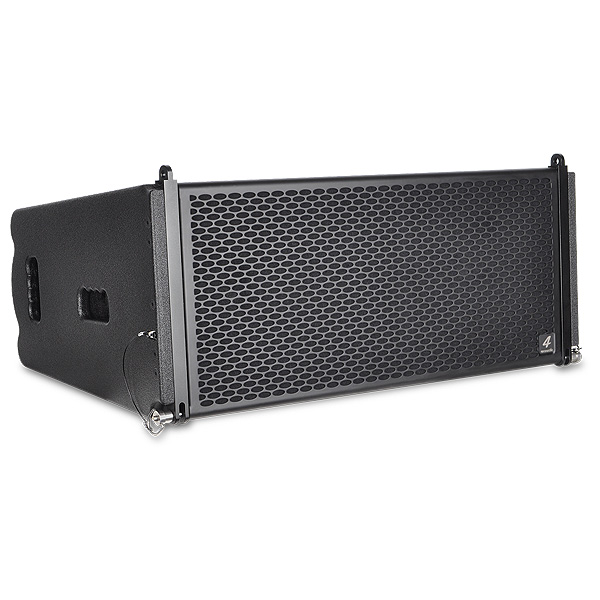
Raptor 3-Way powered
Line Array Speaker
| System Type | Dual 10" 3-way powered Line Array Speaker |
| Maximum SPL | 138 dB |
| Coverage Pattern (hxv) | 120°x15° |
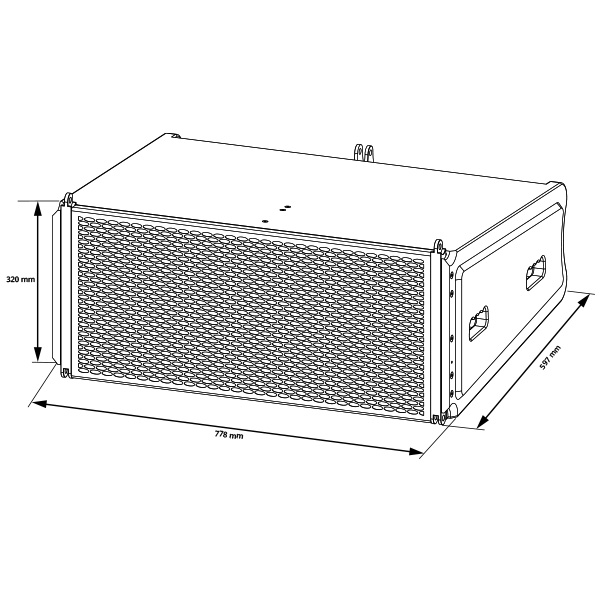
| Dimensions (h/w/d) | 320x778x597 mm |
| Net weight | 40,0 kg |
Raptor
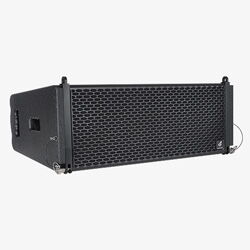
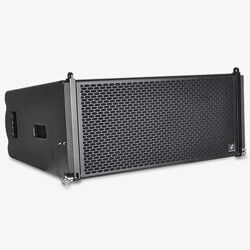
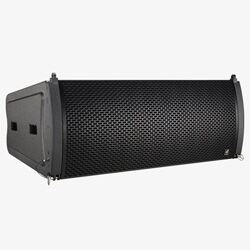
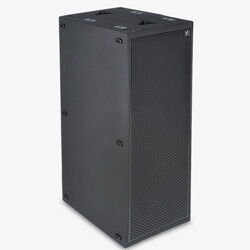
The Raptor is full of technical innovations and produces a transparent, powerful sound that will blow you away! Its two high-performance 10-inch neodymium woofers feature a special Kevlar-coated cone and are tuned to a lower cutoff frequency of 50 Hz. The coaxial arrangement of the 8-inch midrange driver and two 1.75-inch compression drivers results in minimal phase shift, fully corrected by FIR technology in the DSP. The phase plug in front of the 8-inch neodymium driver ensures optimised dispersion in the desired frequency range. The horn, which has been completely redesigned for the two 1.75-inch compression drivers, is optimised for use as a three-way system and guarantees optimal coupling of the Raptor modules at various angles. The oversized, 4-channel, Class D power amplifier offers incredible headroom, providing a total output of 4,000 watts. Power dissipation and the associated heat generation have been minimised. The DSP is fully network-compatible and ready for AVB/MILAN operation, which can be enabled upon certification. Our DSM network client allows all connected DSM devices to be displayed on the network and opened for configuration with just one click. Groups can be created and configured synchronously. A wide range of settings is available for the group options. This is really convenient! All devices can be muted simultaneously with just one click. All settings on the back of the device can also be overridden and adjusted using the DSM software. Innovative accessories such as flight frames, cases, trolleys and rain covers perfectly complement the system, leaving little to be desired.
Raptor DSM User Interface
Technical Specifications
| GS1 (EAN) CODE | 4260318513319 |
| System Type | Dual 10" 3-Way powered Line Array Speaker |
| Amplifier Power | 4000 Watt |
| Cooling | Variable speed fan |
| Frequency Range | 60 Hz - 20 kHz |
| Coverage Pattern (hxv) | 120°x15° |
| Maximal SPL | 138 dB peak @ 1 M |
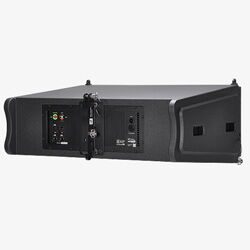
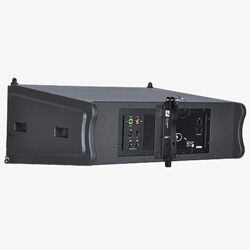
| Connectors | 1 x Neutrik® XLR Female Line In 1 x Neutrik® XLR male Signal Link 1 x Neutrik® powerCON® True1 Male 1 x Neutrik® powerCON® True1 Female 2 x Neutrik® etherCON® Ethernet |
| Controls | Illuminated Mute and Preset push buttons |
| Indicators | Multi function LED ring with VU meter and Mute LEDs Multi function LED ring with amplifier status and active preset LEDs Ethernet connection LEDs |
| Power Input | PFC 100V-240V 50-60Hz 110V (+/- 10%), 50-60Hz |
| Power Consumption 1/8 of max output power |
100 VAC, 5.2 A 240 VAC, 2.6 A |
| Housing | Birch Multiplex |
| Coating | Waterproof polyurea coating |
| Dimensions (h/w/d) | 320x778x597 mm |
| Net weight | 40,0 kg |
Drawing
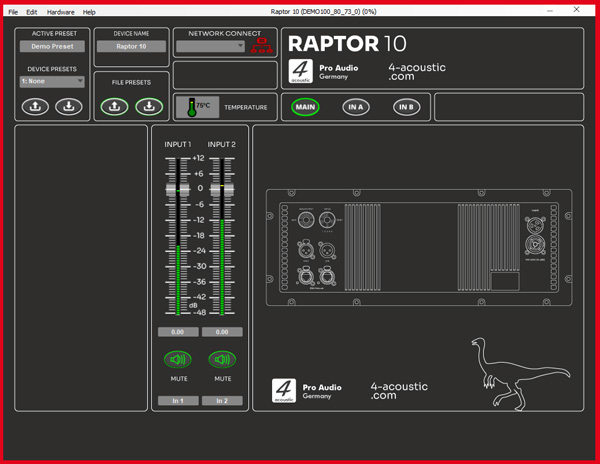
Raptor User Interface
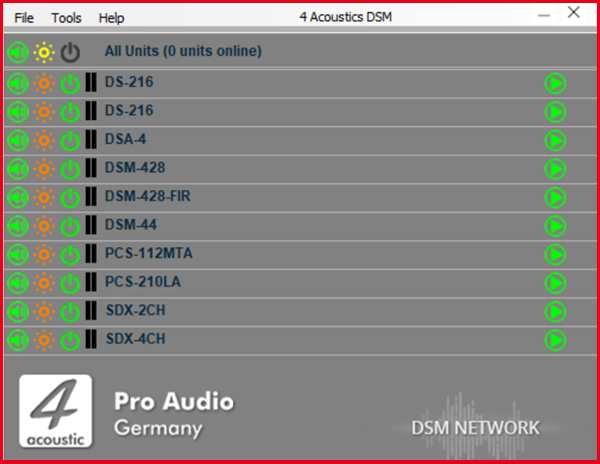
DSM Network Client
A single software solution for all devices. The DSM Network Client automatically scans the connected network and lists the DSM devices it finds. These may include SDX power amplifiers, active speakers, active line array speakers or DSM 19´´ devices. With just one click, you can open the configuration menu for the corresponding device. You can also group devices in the Network Client, allowing you to apply configuration changes quickly and reliably across the entire group.
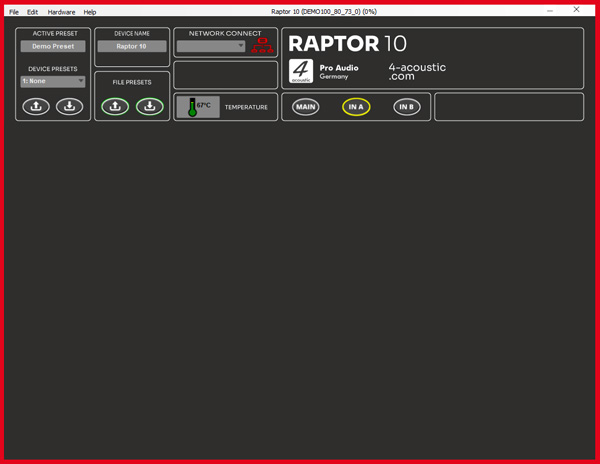
DSM Navigation Menu
To minimise the need to switch between different sections of the software, the navigation menu is located above all panels. The active preset display is on the left and may also include any current settings that were adjusted during operation. These settings are automatically saved in the active preset and remain available even after a restart. To save the active preset as a fixed preset on the device, assign a name, select the preset number and press the down arrow under 'Device Presets' to save it to the device memory. To load a preset from the device, select the preset number and press the up arrow. Please note that the active preset will be overwritten if it has not yet been saved. To save a preset to the computer, use the 'File Preset' function. The name displayed on the device and the network client can be customised under 'Device Name'. Use the menu buttons to navigate to the relevant configuration panels.
DSM Main Panel
The main panel provides an overview of all the input channels and is fitted with gain controls and level meters. There is a mute button for each channel.
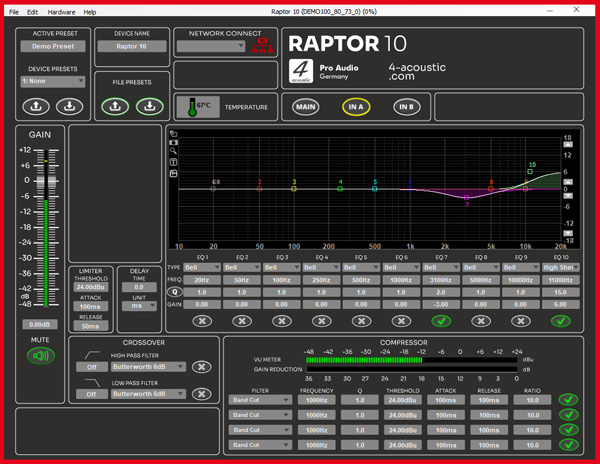
DSM Input Panel
The input panel is a high-quality tool for processing input signals within the DSM. Starting from the left is the gain control, which is accompanied by a level meter and a mute button. To the right of that are the limiter and delay inputs, as well as the crossover settings for high- and low-pass filters. In the centre is the 10-band equaliser and filter unit. Each input also features a 4-band compressor-limiter located at the bottom of the EQ unit.
Photos


Accessories
Flugrahmen

Trolly

Transport- und Regenschutz

Product Overview
Touring
DSM Software Download
The DSM software is compatible with all 4-Acoustic devices that have a DSP.