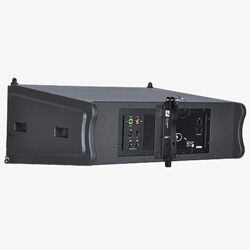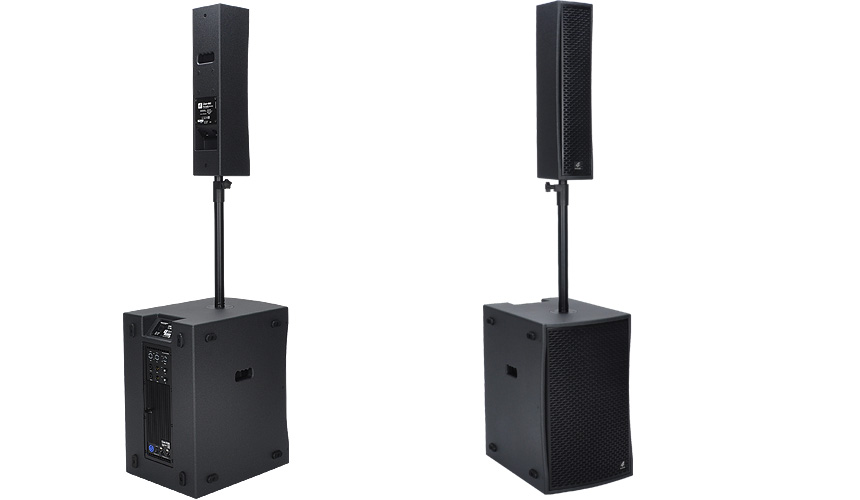
Live-112B powered 1.1 System
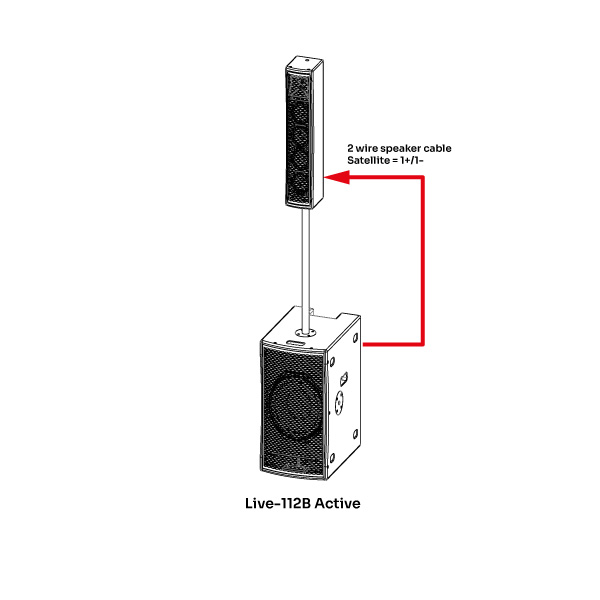
When developing our active live sound systems, we placed great emphasis on ensuring they could be used as flexibly and versatilely as possible. Many comparable systems have rigid wiring connecting the satellite speakers to the subwoofer. This limits you to connecting and positioning the satellites in a specific way relative to the subwoofer. Thanks to our traditional cabling, however, you can position the subwoofer and the satellites completely independently of each other. For example, you can use a spacer bar on the subwoofer or a tripod next to it. You can also wall-mount the satellites for permanent installations using our wall brackets.
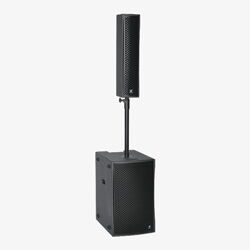
This is an example of a mono setup featuring a Live-112B subwoofer and a Live-441 satellite speaker.
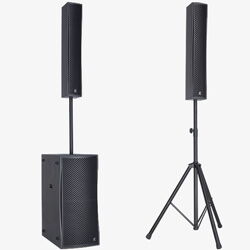
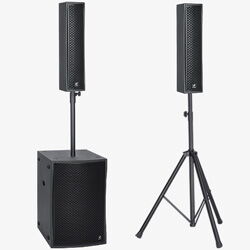
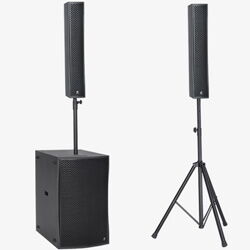
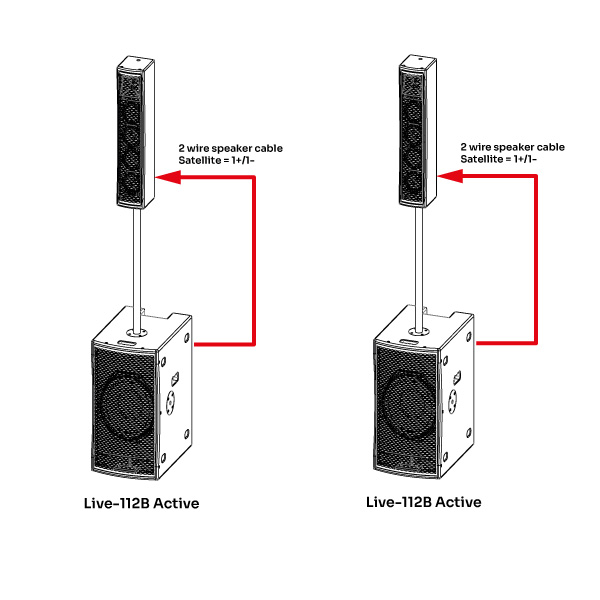
This is an example of a stereo setup comprising two Live-112B subwoofers and two Live-441 satellite speakers.
Live-112B User Interface
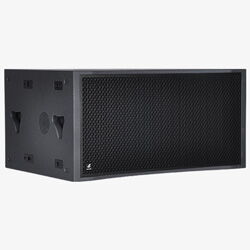
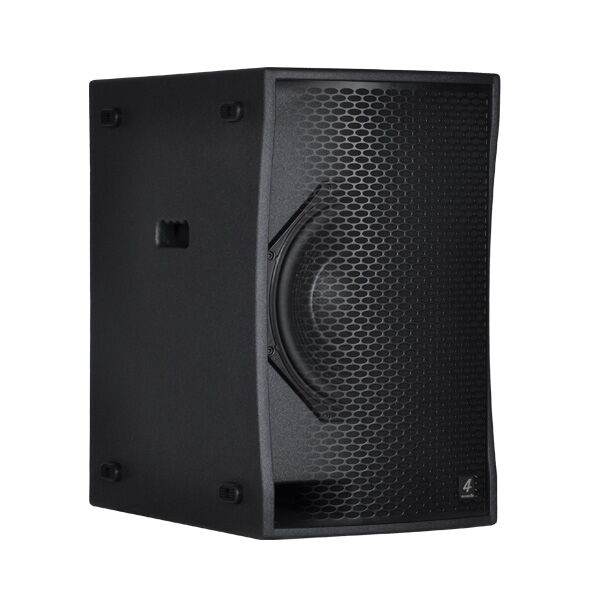
Single 12´´ Powered Subwoofer 1.1 System
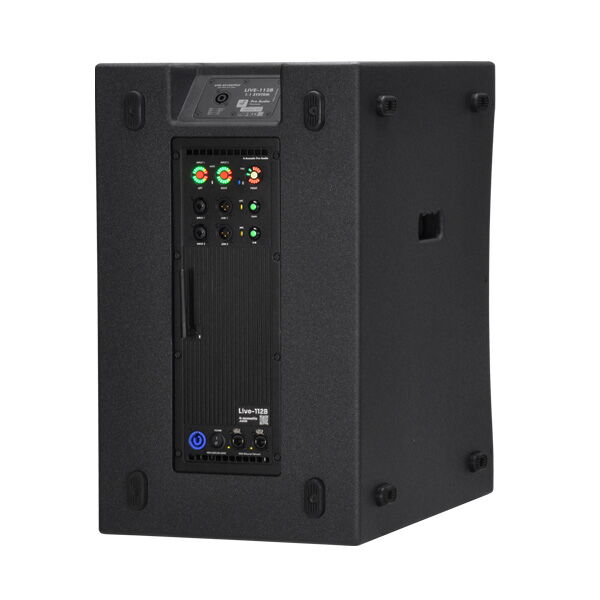
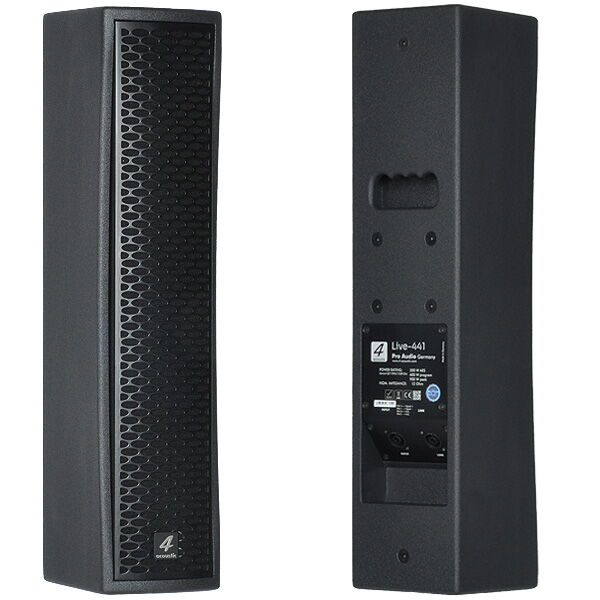
The Live-112B is a 1.1 active system comprising a highly compact 12-inch subwoofer and a matching Live-441 column speaker. The latter is equipped with four 4-inch woofers and a 1-inch tweeter. The asymmetrical horn of the Live-441 has been completely redesigned to ensure perfect sound distribution thanks to its 5-degree downward angling. This provides high-quality sound reproduction for seated listeners during lectures and conferences. It also delivers optimal sound coverage for the ‚party area of a dance floor‘. The Class-D amplifier module delivers 1,000 watts of power and is controlled by a high-quality DSP manufactured in Germany. Alongside the most common DSP settings, the DSP‘s feature set includes FIR filter technology. This uses precisely calculated algorithms to significantly optimise the Live-441‘s frequency and phase responses. The input section of the Live-112B can be accessed via our DSM software, which is fully network-compatible. The system comes calibrated with five presets and can be adjusted individually. Additional presets can, of course, be programmed and saved.
Overview Live-112B 1.1 Subwoofer System
| Model | Live-112B |
| System Type | 2-Channel powered 1.1 speaker system |
| Amplifier Power | LF 800W continuous, 1000W peak HF 200W continuous, 400W peak |
| Dimensions (h/w/d) | 610x370x524 mm |
| Net weight | 32,0 kg |
Overview Live-441 Satellite Speaker
| Model | Live-441 |
| System Type | 4x4“ + 1“ Column Speaker |
| Power Rating Lowcut @110Hz/12dB Oct. |
200 W AES 400 W program 800 W peak |
| Dimensions (h/w/d) | 650x150x170 mm |
| Net weight | 10,5 kg |
Technical Specifications Live-112B
| Model | Live-112B |
| GS1 (EAN) CODE | 4260318513418 |
| System Type | 2-Channel powered 1.1 speaker system |
| Amp Type | Latest Class D technology |
| Amplifier Power | LF 800W continuous, 1000W peak HF 200W continuous, 400W peak |
| DSP | German DSP with DSM Network Control |
| FIR Technology | Linear Phase response with FIR Technology |
| Bluetooth | TWS Bluetooth 5.1 High-performance Audio Receiver |
| Cooling | Variable speed fan |
| Frequency Range (+/- 3 dB) | 45Hz - 130Hz (40Hz @-6db 12dB/octave) |
| Maximum SPL | 128dB peak @1m 125dB continuous @1m |
| Connectors | 2 x Neutrik® XLR Combo Line In 2 x Neutrik® XLR male Signal Link 1 x Neutrik® powerCON® Mains 2 x Neutrik® etherCON® Ethernet 1 x Neutrik® speakON® (Output for Satellite) |
| Controls | Illuminated digital signal potentiometer Illuminated Mute and Preset push buttons Illuminated Line / Mic Level Switches Optional illuminated Bluetooth Push Button |
| Indicators | Multi function LED rings with VU meter and Mute LEDs Multi function LED ring with amplifier status and active preset LEDs Signal IN Clip indicator in the potentiometer knob Ethernet connection LEDs Optional Bluetooth and TWS indicator LEDs |
| Housing | Birch Multiplex |
| Suspension/Mounting | 2 x M20 threaded top hat 35 mm pole socket 10 x M8-Aufhängung |
| Coating | Waterproof polyurea coating |
| Power Input | PFC 100V-240V 50-60Hz 110V (+/- 10%), 50-60Hz |
| Power Consumption 1/8 of max output power @ 8 Ω |
100 VAC, 2.0 A 120 VAC, 1.8 A 240 VAC, 1.0 A |
| Dimensions (h/w/d) | 610x370x524 mm |
| Net weight | 32,0 kg |
Technical Specifications Live-441 Column Speaker
| Model | Live-441 |
| GS1 (EAN) CODE | 4260318513388 |
| System Type | 4x4“ + 1“ Column Speaker |
| Power Rating Lowcut @110Hz/12dB Oct. |
200 W AES 400 W program 800 W peak |
| Nominal Impedance | 8 Ohm |
| Frequency Range | 110Hz - 20KHz |
| Coverage Pattern (hxv) | 90° x +20°/-25° |
| Sensitivity @1W/1m | 99 dB |
| Maximum SPL | 125dB peak @1m 122dB continuous @1m |
| Housing | Birch Multiplex |
| Suspension/Mounting | 35 mm pole socket 10 x M8 suspension |
| Coating | Waterproof polyurea coating |
| Input Connectors | 2 x Neutrik NL4 Socket parallel 1+/1- |
| Dimensions (h/w/d) | 650x150x170 mm |
| Net weight | 10,5 kg |
Everything Under Control
With our DSM software, you can monitor the Live Aktiv devices remotely and adjust the settings to suit your personal preferences. The Input section provides access to additional EQs, limiters and compressors, as well as delay settings that can be used as a delay line or near-fill supplement with proper time alignment.
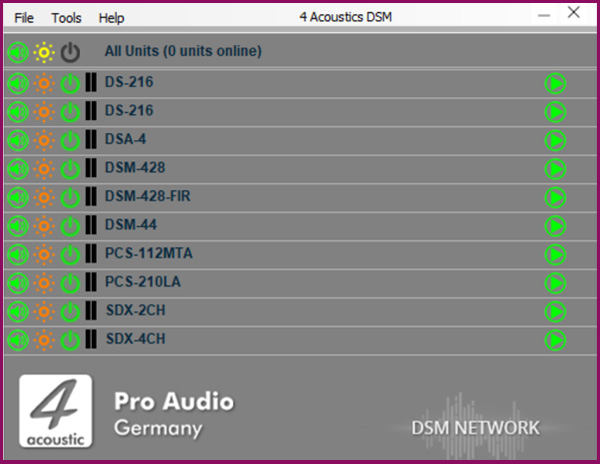
DSM Network Client
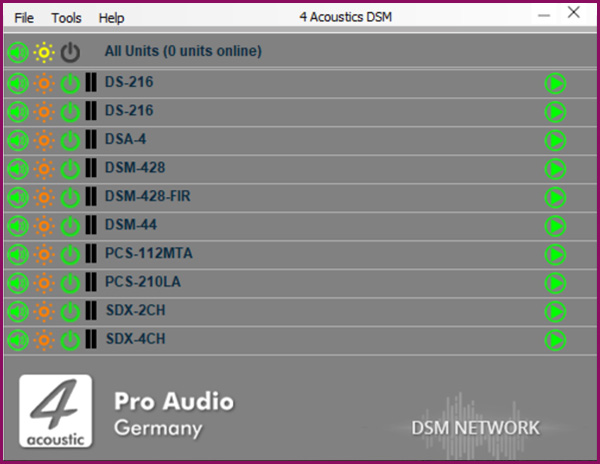
A single software solution for all devices. The DSM Network Client automatically scans the connected network and lists the DSM devices it finds. These may include SDX power amplifiers, active speakers, active line array speakers or DSM 19´´ devices. With just one click, you can open the configuration menu for the corresponding device. You can also group devices in the Network Client, allowing you to apply configuration changes quickly and reliably across the entire group.
DSM Navigation Menu
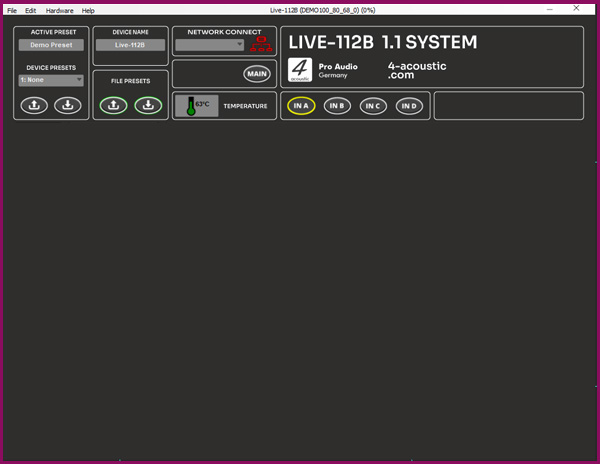
To minimise the need to switch between different sections of the software, the navigation menu is located above all panels. The active preset display is on the left and may also include settings that were adjusted during operation. These settings are automatically saved in the active preset and remain available even after a restart. To save the active preset as a fixed preset on the device, assign a name, select the preset number and press the down arrow under 'Device Presets' to save it to the device memory. To load a preset from the device, select the preset number and press the up arrow. Please note that the active preset will be overwritten if it has not yet been saved. To save a preset to the computer, use the 'File Preset' function. The name displayed on the device and the network client can be customised under 'Device Name'. Use the menu buttons to navigate to the relevant configuration panels.
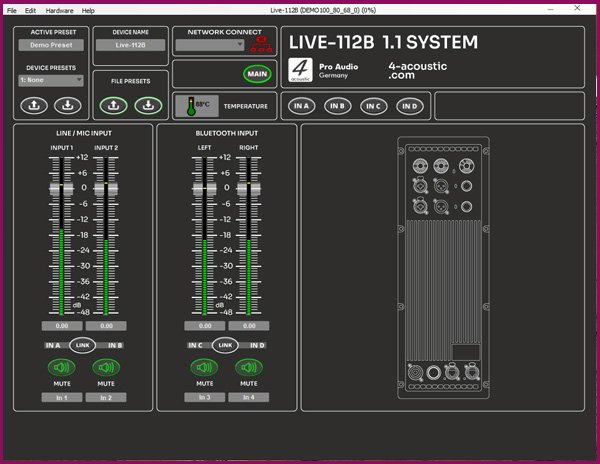
DSM Main Panel
Das Main-Panel bietet eine Übersicht über alle Eingangskanäle und ist mit Gain-Reglern sowie Aussteuerungsanzeigen ausgestattet. Jeder Kanal verfügt über eine Mute-Taste. Wenn das Gerät im Stereobetrieb arbeitet, können die Eingänge 1+2 sowie die Bluetooth-Eingänge „Left” und „Right” gelinkt werden.
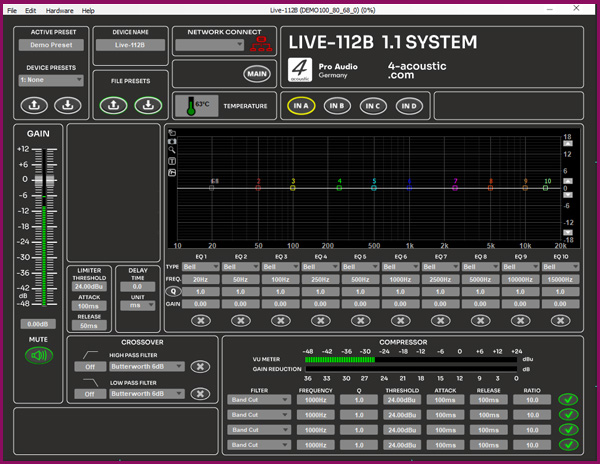
DSM Input Panel
This high-quality tool is used to process input signals in the DSM. Starting from the left, there is a gain control with a level meter and a mute button. Depending on the device and settings, the gain level is controlled by digital potentiometers on the front panel. To the right of this are the limiter and delay inputs, as well as the crossover settings for high- and low-pass filters. In the centre is the 10-band equalizer (EQ) and filter unit. Each input also features a 4-band compressor-limiter located at the bottom of the EQ unit.
Product Overview
Powered Speakers