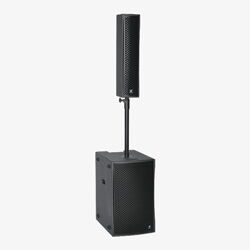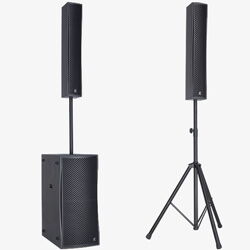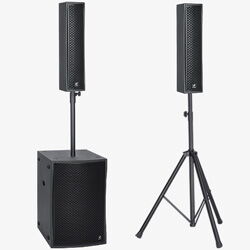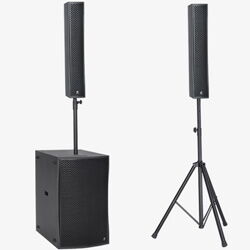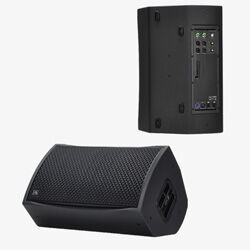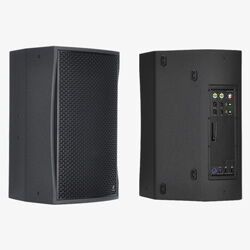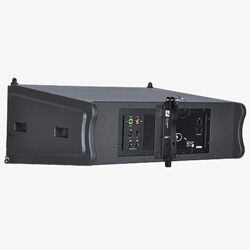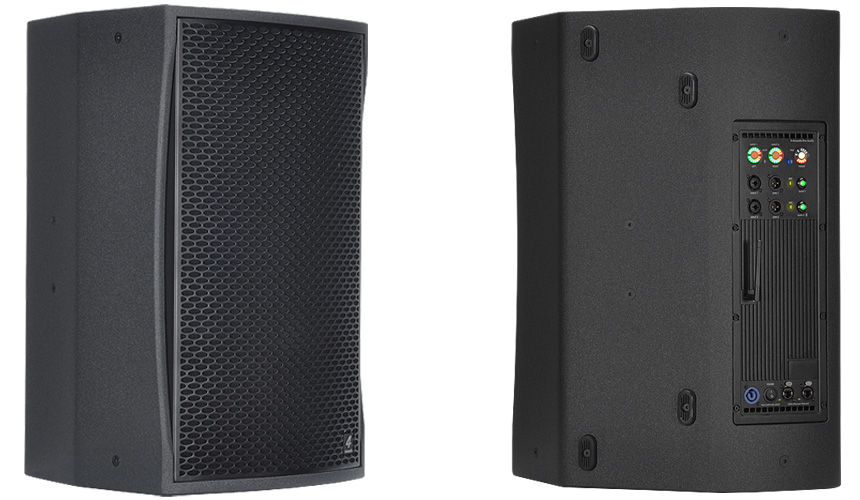
Live-MF Powered Point Source Multi-Purpose Speaker
Live-MF User Interface
German DSP technology and a 1000 watt amplifier
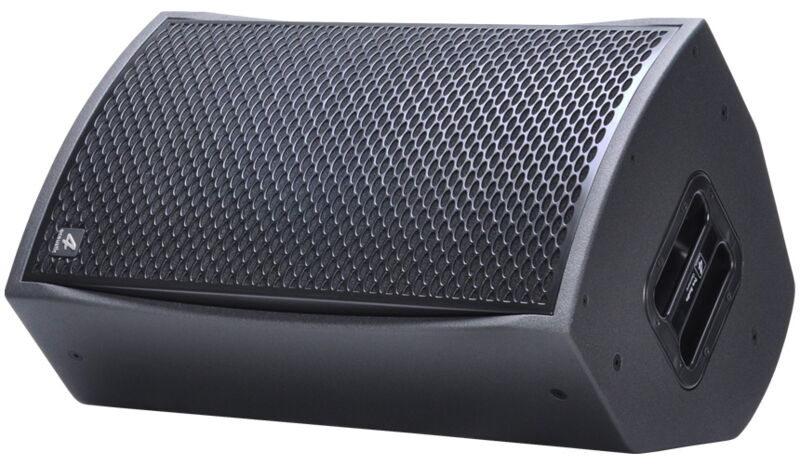
Live-MF powered multi-purpose speaker
| Model | Live-112MF | Live-115MF |
| System Type | 12"+1,4" aktiver 2-Way multi-purpose powered speaker | 15"+1,4" aktiver 2-Way multi-purpose powered speaker |
| Amplifier Power | LF 600W continuous, 800W peak HF 400W continuous, 600W peak |
LF 600W continuous, 800W peak HF 400W continuous, 600W peak |
| Dimensions (h/w/d) | 625x382x382 mm | 690x434x425 mm |
| Net weight | 29,5 kg | 33,5 kg |
Technical Specifications
| Model | Live-112MF | Live-115MF |
| GS1 (EAN) CODE | 4260318513111 | 4260318513371 |
| System Type | 12" + 1,4" 2-Way multi-purpose powered speaker | 15" + 1,4" 2-Way multi-purpose powered speaker |
| Amplifier | High End Class D technology | High End Class D technology |
| Amplifier Power | LF 600W continuous, 800W peak HF 400W continuous, 600W peak |
LF 600W continuous, 800W peak HF 400W continuous, 600W peak |
| DSP | German DSP with DSM Network Control | German DSP with DSM Network Control |
| FIR | Linear Phase response with FIR Technology | Linear Phase response with FIR Technology |
| Bluetooth | optional TWS Bluetooth 5.1 High-performance Audio Receiver | optional TWS Bluetooth 5.1 High-performance Audio Receiver |
| Cooling | Variable speed fan | Variable speed fan |
| Frequency Range (+/- 3 dB) | 43Hz - 20kHz | 40Hz - 20kHz |
| Coverage Pattern (hxv) | 80°x50° | 80°x50° |
| Maximum SPL | 130 dB peak @1m 124 dB continuous @1m |
132 dB peak @1m 126 dB continuous @1m |
| Connectors | 2 x Neutrik® XLR combo Line In 2 x Neutrik® XLR male Signal Link 1 x Neutrik® powerCON® Mains 2 x Neutrik® etherCON® Ethernet |
2 x Neutrik® XLR combo Line In 2 x Neutrik® XLR male Signal Link 1 x Neutrik® powerCON® Mains 2 x Neutrik® etherCON® Ethernet |
| Controls | Illuminated signal potentiometer Illuminated Line/Mic Switch Illuminated Mute and Preset push buttons Illuminated Bluetooth push button |
Illuminated signal potentiometer Illuminated Line/Mic Switch Illuminated Mute and Preset push buttons Illuminated Bluetooth push button |
| Indicators | Two Multi function LED rings with VU meter and Mute LED One Multi function LED ring with amplifier status, Bluetooth TWS and active preset LED. Ethernet connection LED´s. Line/Mic Level LED Bluethooth and Bluetooth TWS LED |
Two Multi function LED rings with VU meter and Mute LED One Multi function LED ring with amplifier status, Bluetooth TWS and active preset LED. Ethernet connection LED´s. Line/Mic Level LED Bluethooth and Bluetooth TWS LED |
| Housing | Birch Multiplex | Birch Multiplex |
| Suspension/Mounting | 35 mm pole socket 10 x M8 suspension |
35 mm pole socket 10 x M8 suspension |
| Coating | Waterproof polyurea coating | Waterproof polyurea coating |
| Power Input | PFC 100V-240V 50-60Hz 110V (+/- 10%), 50-60Hz |
PFC 100V-240V 50-60Hz 110V (+/- 10%), 50-60Hz |
| Power Consumption 1/8 of max output power @ 8 Ω |
100 VAC, 2.0 A 120 VAC, 1.8 A 240 VAC, 1.0 A |
100 VAC, 2.0 A 120 VAC, 1.8 A 240 VAC, 1.0 A |
| Power Consumption Stand By |
10 Watt | 10 Watt |
| Dimensions (h/w/d) | 625x382x382 mm | 690x434x425 mm |
| Net weight | 29,5 kg | 33,5 kg |
Everything Under Control
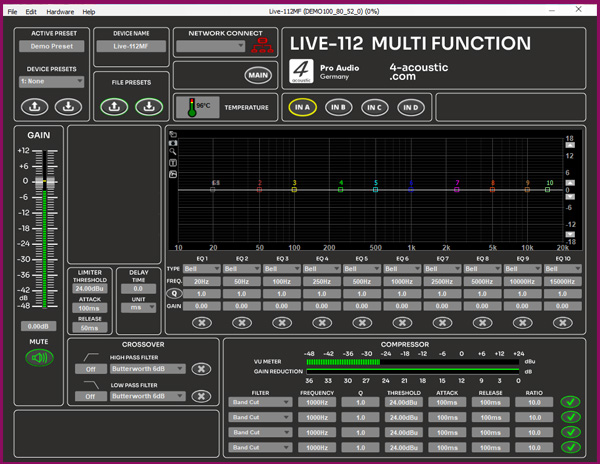
With our DSM software, you can monitor the Live Aktiv devices remotely and adjust the settings to suit your personal preferences. The Input section provides access to additional EQs, limiters and compressors, as well as delay settings that can be used as a delay line or near-fill supplement with proper time alignment.
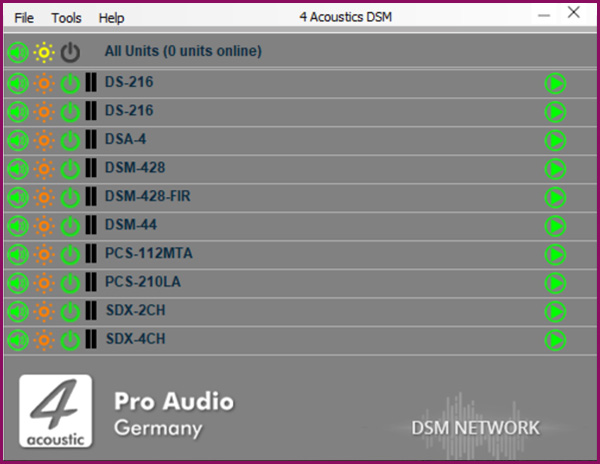
DSM Network Client
A single software solution for all devices. The DSM Network Client automatically scans the connected network and lists the DSM devices it finds. These may include SDX power amplifiers, active speakers, active line array speakers or DSM 19´´ devices. With just one click, you can open the configuration menu for the corresponding device. You can also group devices in the Network Client, allowing you to apply configuration changes quickly and reliably across the entire group.
DSM Navigation Menu
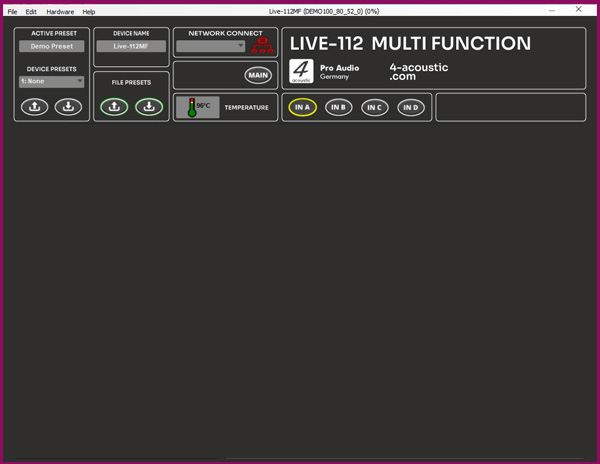
To minimise the need to switch between different sections of the software, the navigation menu is located above all panels. The active preset display is on the left and may also include settings that were adjusted during operation. These settings are automatically saved in the active preset and remain available even after a restart. To save the active preset as a fixed preset on the device, assign a name, select the preset number and press the down arrow under 'Device Presets' to save it to the device memory. To load a preset from the device, select the preset number and press the up arrow. Please note that the active preset will be overwritten if it has not yet been saved. To save a preset to the computer, use the 'File Preset' function. The name displayed on the device and the network client can be customised under 'Device Name'. Use the menu buttons to navigate to the relevant configuration panels.
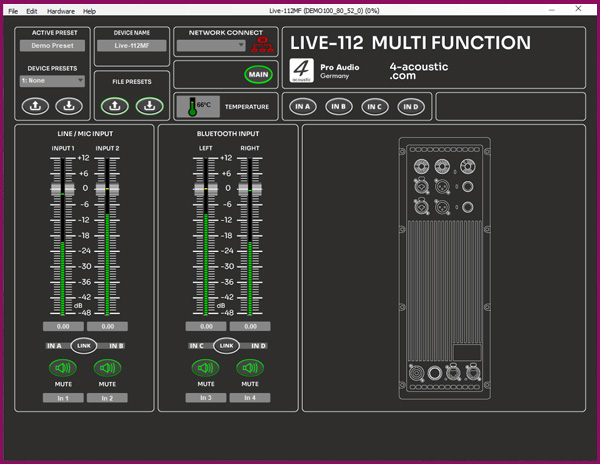
DSM Main Panel
The main panel provides an overview of all input channels and is equipped with gain controls and level meters. Depending on the device and settings, the gain controls can be adjusted using the digital potentiometers located at the back of the unit. Each channel has a mute button. When operating in stereo mode, inputs 1 and 2, as well as the optional ‚Left‘ and ‚Right‘ Bluetooth inputs available on some models, can be grouped together.
DSM Input Panel
This high-quality tool is used to process input signals in the DSM. Starting from the left, there is a gain control with a level meter and a mute button. Depending on the device and settings, the gain level is controlled by digital potentiometers on the front panel. To the right of this are the limiter and delay inputs, as well as the crossover settings for high- and low-pass filters. In the centre is the 10-band equalizer (EQ) and filter unit. Each input also features a 4-band compressor-limiter located at the bottom of the EQ unit.
Product Overview
Powered Speakers